AisWorkflowWidget
The AisWorkflowWidget component makes it easier to embed the Universal Workflow Widget within your application. It wires everything up for you. All you need to provide is your Universal Workflow clientId and the packageId.
It is recommended to always call the Workflow's `Get User's Allowed Package Actions` API endpoint
before displaying your form page that contains the widget. The response from this endpoint is a
PackageActionsDto object that contains a `canView` value. Use this value on your frontend to
determine whether to display the widget or not.
See the for more details about this endpoint.
workflow documentation
Package Actions
You should conditionally display the widget based on the allowed package actions retrieved from the workflow api. If you display the widget to a user that does not have access to view the package, this is what they will see:
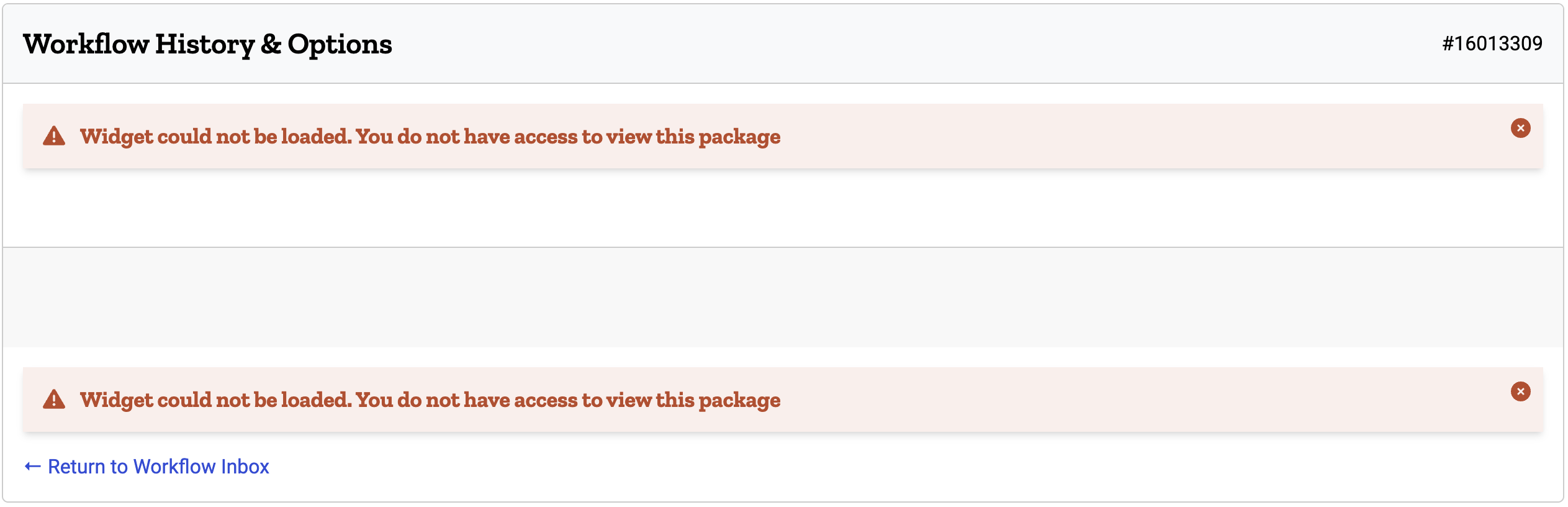
It's better to not display the widget at all when the user doesn't have access to view the package. Note the highlighted rows in the example below.
Example
vue
<script setup lang="ts">
import { computed, onBeforeMount, ref } from 'vue'
import { AisForm, AisWorkflowWidget } from '@ais-public/ais-components'
import type { PackageActionsDto } from '../types'

const packageId = computed(() => useRoute()?.query?.packageId as string || '')

const packageActionsDto = ref({} as PackageActionsDto)
onBeforeMount(async () => {
  /* Call your backend and have it fetch this from the Workflow API 'Get User's Allowed Package Actions' endpoint */
  packageActionsDto.value = await useAisFetch<PackageActionsDto>(`path/to/get/package/actions/${packageId.value}`)
})
</script>

<template>
  <div class="flex flex-col gap-5">
    <AisForm>
      <!-- Your Form -->
    </AisForm>

    <AisWorkflowWidget
        v-if="packageActionsDto?.canView"
        client-id="maui"
        :package-id="packageId"
    ></AisWorkflowWidget>
  </div>
</template>
No Redirect Prop
The new Universal Workflow Widget does not redirect the user back to their Workflow Inbox after an event completes, unlike the previous version of the widget. So for convenience, and in an effort to make it easier to keep the default behavior consistent with the previous version, this AisWorkflowWidget component does default to redirecting the user back to their Workflow Inbox after an event completes. Use this no-redirect prop to disable that behavior.
The new Universal Workflow Widget now emits the following events:
- 'workflow-widget-event:approve': 'approve'
- 'workflow-widget-event:void': 'void'
- 'workflow-widget-event:r2i': 'r2i'
This prop accepts a boolean or an Array of strings (events). If you pass true, the redirect will be disabled for all events. If you use an array, only the events that you pass will be disabled. The valid events are: approve, void, and r2i.
vue
<script setup>
  import { ref } from 'vue'
  import { AisWorkflowWidget } from '@ais-public/ais-components'

  const packageId = ref('123456789')
</script>

<template>
  <div class="grid gap-6">
    <!-- This will not redirect for any event -->
    <AisWorkflowWidget client-id="maui"
                       :package-id="packageId"
                       no-redirect
    ></AisWorkflowWidget>

    <!-- This will not redirect for void or r2i events. It will still redirect for other events (approve) -->
    <AisWorkflowWidget client-id="maui"
                       :package-id="packageId"
                       :no-redirect="['void', 'r2i']"
    ></AisWorkflowWidget>
  </div>
</template>Component Reference
Props
Property | Type(s) | Required | Default | Description | Deprecated |
|---|---|---|---|---|---|
| clientId | String | '' | The uiowa OIDC client id | false | |
| historyMode | Boolean | false | Boolean value passed to the Universal Workflow widget to display the package history instead of approval options. | false | |
| noRedirect | Array, Boolean | false | Set to `true` if you want to disable redirecting back to the user's workflow inbox for all events. Set to an array
of event names (approve | void | r2i) to exclude from redirecting. For example, if you do not want to
redirect after a `Void` or a `Return to Initiator` event, but you do still want to redirect after an
`Approve` event, then you would pass `no-redirect=['void', 'r2i']`. | false | |
| packageId | String | '' | The package id in Universal Workflow | false | |
| env | String | '' | The application/workflow environment Valid values: test, prod Deprecated - No longer needed in newer OIDC workflow widget versions | true | |
| formId | String | '' | The form id in Universal Workflow Deprecated - No longer needed in newer OIDC workflow widget versions | true | |
| scope | String | '' | The oAuth2 scope Deprecated - No longer needed in newer OIDC workflow widget versions | true | |
| signatureId | String | '' | The signature id in Universal Workflow Deprecated - No longer needed in newer OIDC workflow widget versions | true |
Slots
Name | Scoped | Description |
|---|---|---|
Events
Event | Arguments | Description |
|---|---|---|
| approve |
| Emitted when a package is approved |
| r2i |
| Emitted when a package is returned to initiator |
| void |
| Emitted when a package is voided |